
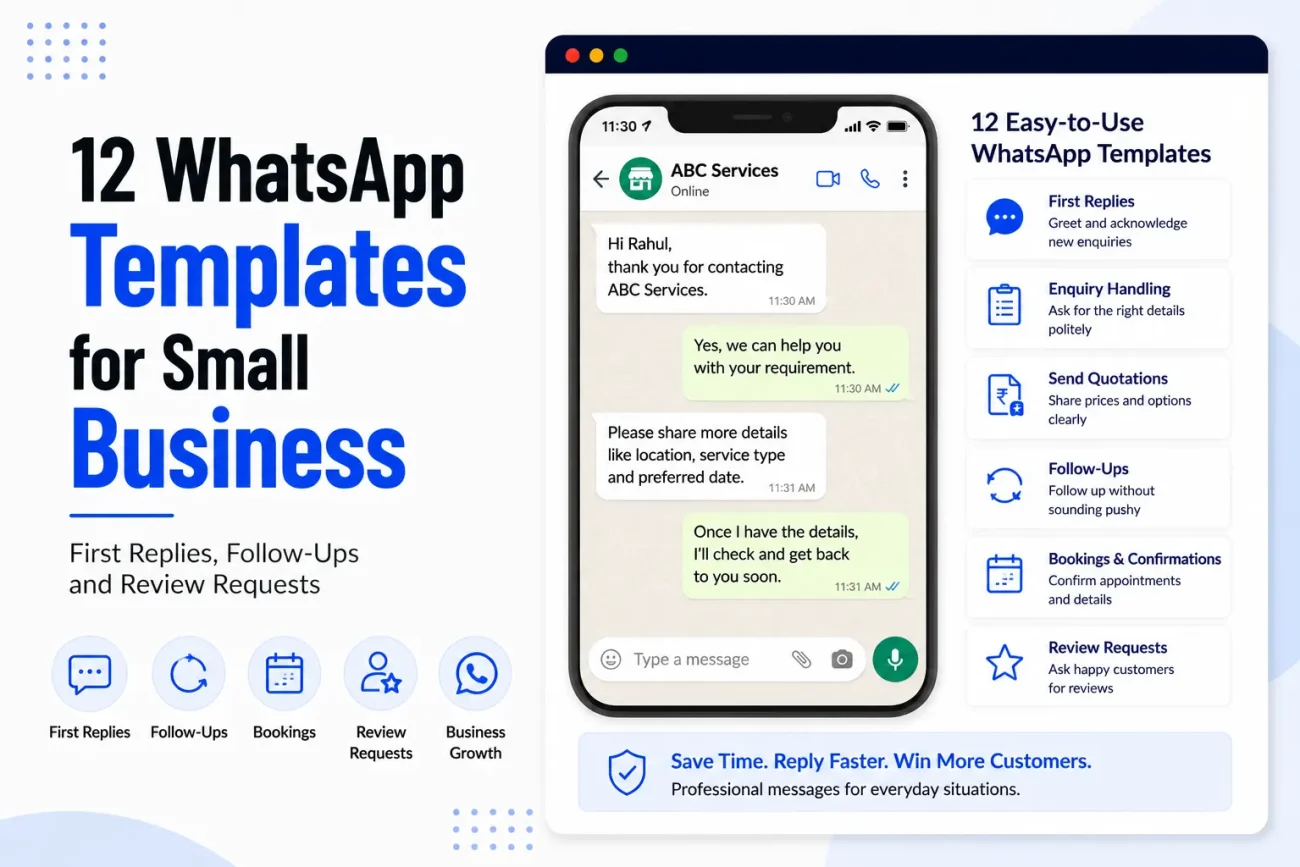
WhatsApp has become an important way for many small businesses to talk to customers. A person may find a business through Google, Instagram, a website or a recommendation and then send a simple WhatsApp message asking about the service, price or availability. The problem is that many business owners know what they want to say but do not know how to write the message in a clear and friendly way.
This is where WhatsApp templates for small business can save time. Instead of writing every reply from the beginning, you can keep a few useful messages ready and change the customer’s name, service, date or other details when needed. A template does not mean every customer should receive a cold copy-paste message. It simply gives you a good starting point so that your replies stay clear and consistent.
In this article, you will find 12 simple templates for common situations, including a first reply to a new enquiry, asking for more information, sending a quotation, following up after no response, confirming a booking and asking for a review. The examples are written in simple language so you can change them for a salon, plumber, photographer, cleaner, consultant, shop or another small business.
Why Small Businesses Need WhatsApp Message Templates
The first few messages between a business and a customer can affect what happens next. If someone sends an enquiry and receives a reply several hours later that is difficult to understand, they may move to another business. At the same time, writing a completely new message every time can take a lot of time, especially when the same questions come up again and again.
Good WhatsApp business message templates help solve this problem without making your communication feel completely automated. You can prepare a basic reply for common situations and then add one or two personal details before sending it. For example, instead of writing a new answer every time someone asks about a service, you can have a simple template that explains the service and then add the customer’s name and specific requirement.
The important thing is to treat a template as a starting point rather than a message that should always be sent exactly as written. Customers can usually tell when a business has copied a message without reading their question. A useful template should make your work faster while still leaving room for a natural conversation.
Template 1: First Reply to a New Enquiry
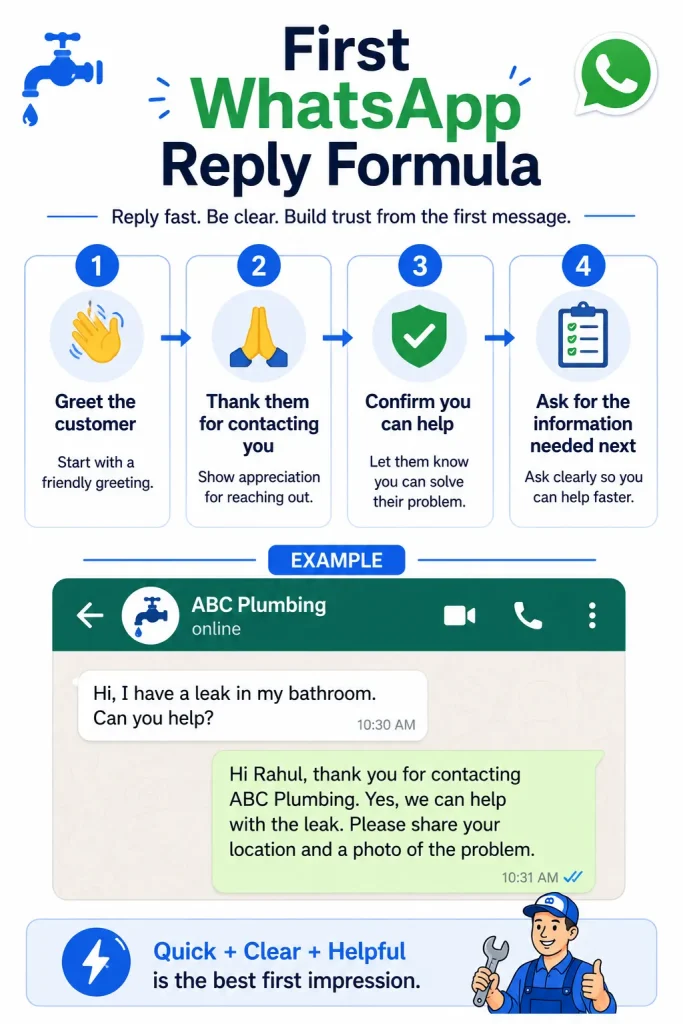
The first message should acknowledge the customer and show that you have understood why they contacted you. You do not need to send a long introduction about the business. If the customer has already explained what they need, respond to that information instead of asking them to repeat it.
Template:
Hi [Name], thank you for contacting [Business Name]. Yes, we can help with [service]. Could you please share [location/project size/service requirement] so I can check the details and guide you on the next step?
This is one of the most useful WhatsApp templates for small business because it works for many different types of enquiries. A plumber can ask for the customer’s location and a photo of the problem, while a photographer can ask for the event date and type of event. The basic message stays the same, but the information you request changes according to the service.
The main benefit is that the message moves the conversation forward. Instead of simply saying “Yes, we provide this service”, you are giving the customer a clear next step.
Read: 15 Call To Action Button Examples for local business websites
Template 2: When You Need More Information
Sometimes a customer sends a message such as “How much for cleaning?” or “Can you repair this?” without giving enough information to answer properly. Instead of sending a long list of questions, ask only for the details that actually affect your answer.
Template:
Hi [Name], I can help you with that. To give you the correct information, could you please share [specific details]? Once I have these details, I can check the available options and let you know the next step.
For example, a home cleaning company may need the number of bedrooms and the type of cleaning required. A photographer may need the event date, location and number of hours. A plumber may need the customer’s address and a photograph of the problem. The template works because it tells the customer why you are asking questions rather than making the conversation feel like a form.
This is particularly useful for WhatsApp enquiry reply templates because many first enquiries are incomplete. Asking the right question early can reduce several back-and-forth messages later.
Template 3: Reply When You Are Not Available Immediately
Small business owners cannot always reply the moment a message arrives. You may be working at a customer’s home, driving, attending an appointment or simply away from your phone. A short message can tell the customer that you have received the enquiry and when they can expect a response.
Template:
Hi [Name], thanks for your message. I am currently [with a customer/out on a job/away from the phone], so I may take some time to reply. I have received your enquiry about [service] and will get back to you as soon as I can. Thank you for your patience.
The important part is to avoid giving a specific reply time unless you are confident that you can meet it. Saying “I will reply in 10 minutes” and then responding two hours later can create a worse experience than simply saying that you are currently unavailable.
This type of message is especially useful when enquiries come outside normal working hours. You can make the message warmer by adding the expected business hours, but keep it short enough that the customer understands it quickly.
Template 4: Sending a Price or Quotation
When a customer has provided enough information for you to give a price, the message should make the amount and what it covers easy to understand. Do not send only a number because the customer may not know what is included.
Template:
Hi [Name], based on the details you shared, the price for [service] is [₹amount]. This includes [main inclusions]. [Mention any important extra charge or condition]. If you would like to go ahead, I can help you with [booking/payment/next step].
A clear quotation message can prevent confusion later because the customer knows what the amount refers to. If the price is only an estimate, say so clearly rather than making it sound final. Similarly, if materials, travel or additional work are charged separately, mention that before the customer confirms.
This is also a good place to connect your WhatsApp conversation with your website. If your website has a detailed pricing page, you can send the customer that page when it contains information that will help them understand the quotation.
Internal link later: In this section, link the phrase website pricing strategy to “Website Pricing Strategy: Should You Put Prices on Your Website?” This gives readers who want to learn more about displaying service prices a natural next step.
Read: Website Pricing Strategy: Should You Put Prices On Your Website?
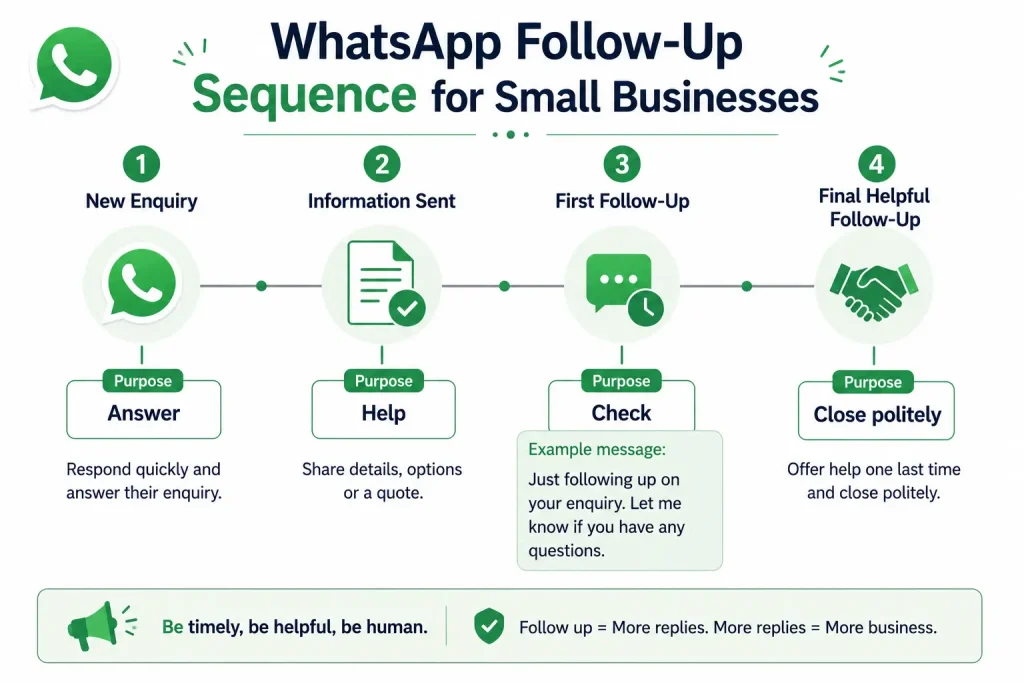
Template 5: Follow-Up After No Response
A customer may ask for a price or availability and then stop replying. This does not always mean they are no longer interested. They may be busy, comparing options or simply have forgotten to respond. A polite follow-up can bring the conversation back without putting pressure on the customer.
Template:
Hi [Name], just following up on your enquiry about [service]. I wanted to check if you still need help with this. If you have any questions about the service or price, feel free to message me and I will be happy to help.
The message is deliberately simple. You do not need to write something like “FINAL REMINDER” or repeatedly ask whether the customer is ready to buy. A follow-up should make it easy for the person to continue the conversation rather than make them feel pressured.
For some businesses, it may also make sense to mention that availability has changed, but only if that is true. Never create artificial urgency just to make a customer respond.
Template 6: Follow-Up After Sending a Quote
A quote follow-up is slightly different from a general enquiry follow-up because the customer has already received useful information from you. The goal is to check whether they have questions or need help deciding, rather than simply asking, “Have you decided?”
Template:
Hi [Name], I wanted to follow up on the quotation I sent for [service]. Please let me know if you have any questions about the work, price or what is included. If you would like to make any changes to the requirement, I can also check the options for you.
This is one of the WhatsApp follow up message for customers templates that can work well for services where customers need time to compare quotations. It keeps the conversation open and gives the customer a reason to reply.
If the quote has an expiry date or availability changes after a certain date, you can mention that clearly. However, only include such information when it is a real business condition.
Template 7: Booking Confirmation
Once a customer agrees to the service, a clear confirmation message can prevent mistakes about the date, time, location and service. This is particularly important for plumbers, photographers, salons, cleaners and other businesses that schedule appointments or visits.
Template:
Hi [Name], your [service/appointment] is confirmed for [date] at [time]. We will be visiting [location/address]. The agreed price is [₹amount], [if applicable]. Please let us know as soon as possible if you need to make any changes. Thank you.
Keep the important information easy to see. If the customer needs to prepare anything before the appointment, add one short sentence below the confirmation. For example, a photographer may ask the customer to keep the venue details ready, while a plumber may ask them to make sure someone is available at the property.
A good confirmation message is not only useful for the customer. It also gives the business a written record of what was agreed.
Template 8: Appointment Reminder
A reminder can reduce missed appointments and also gives the customer a chance to tell you if something has changed. It should be short because the customer already knows the details from the confirmation message.
Template:
Hi [Name], just a quick reminder that your [service/appointment] with [Business Name] is scheduled for [date] at [time]. We look forward to seeing you. Please let us know if there has been any change in your availability.
You can send this the day before the appointment if that fits your normal process. If the business has specific arrival instructions, you can add them, but avoid turning a simple reminder into a long message.
Template 9: Asking for a Review After the Service
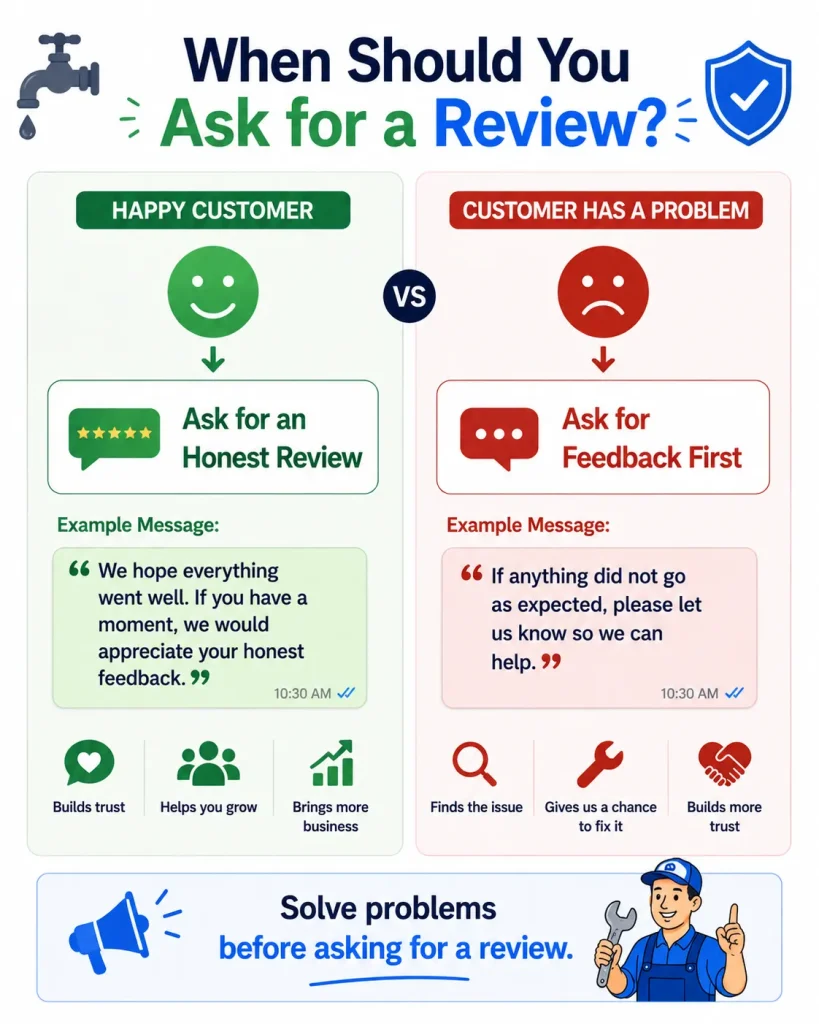
Reviews can help a small business build trust, but the request should come after the customer has had a reasonable chance to experience the service. A review request should also make it clear that honest feedback is welcome rather than asking customers to leave only positive feedback.
Template:
Hi [Name], thank you for choosing [Business Name] for [service]. We hope everything went well. If you have a moment, we would really appreciate your honest feedback. You can leave a review here: [Review Link]. Thank you for your time and support.
This is a useful WhatsApp review request template because it is polite and does not pressure the customer to write a positive review. If the customer has already told you that they were happy with the service, you can make the message a little more personal by referring to something specific about their experience.
For example, instead of sending the exact same message to every customer, you could write, “We hope the new bathroom fittings are working well.” That small detail makes the message feel less like a mass message.
Template 10: Asking for Feedback When the Customer Had a Problem
Not every customer experience will be perfect, and a business should have a simple way to ask about problems before immediately asking for a public review. If a customer has expressed concern, deal with that issue first.
Template:
Hi [Name], I wanted to check how things went after our [service] visit. If there is anything that we need to improve or any part of the service that did not go as expected, please let me know. I would like to understand the issue and see how we can help.
This message can be more useful than immediately sending a review request. It shows that the business is interested in the customer’s actual experience. If the issue can be solved, deal with it before asking the customer for a review.
Template 11: Reconnecting With an Old Customer
Existing customers can sometimes become future customers again, especially for services that are needed more than once. A cleaning company, salon, repair business, photographer or maintenance service may have customers who have not contacted the business for several months.
A simple message can remind them that you are still available without making the conversation feel like an advertisement.
Template:
Hi [Name], hope you are doing well. It has been a while since we last helped you with [service]. If you need any help with [related service] again, feel free to message us. We would be happy to assist you.
The important thing is relevance. Do not send the same message to every old customer regardless of what they purchased. Mention the previous service when it makes sense, and only contact customers in ways that fit your business’s communication practices and applicable rules.
Template 12: Thanking a Customer After the Service
Not every WhatsApp message needs to ask for something. A simple thank-you message can help finish the interaction on a positive note and can make the business feel more personal.
Template:
Hi [Name], thank you for choosing [Business Name] for [service]. We appreciate your time and trust. If you need any help in the future, please feel free to message us. Have a great day.
You can combine this with a review request when the timing feels right, but it is often better to keep the thank-you message natural. A customer should not feel that every message from the business is only sent because the business wants another sale or review.
How to Make WhatsApp Templates Sound More Personal
The biggest problem with templates is not the template itself. It is the way businesses use it. If every customer receives exactly the same paragraph, the conversation can quickly feel like a copy-paste exercise.
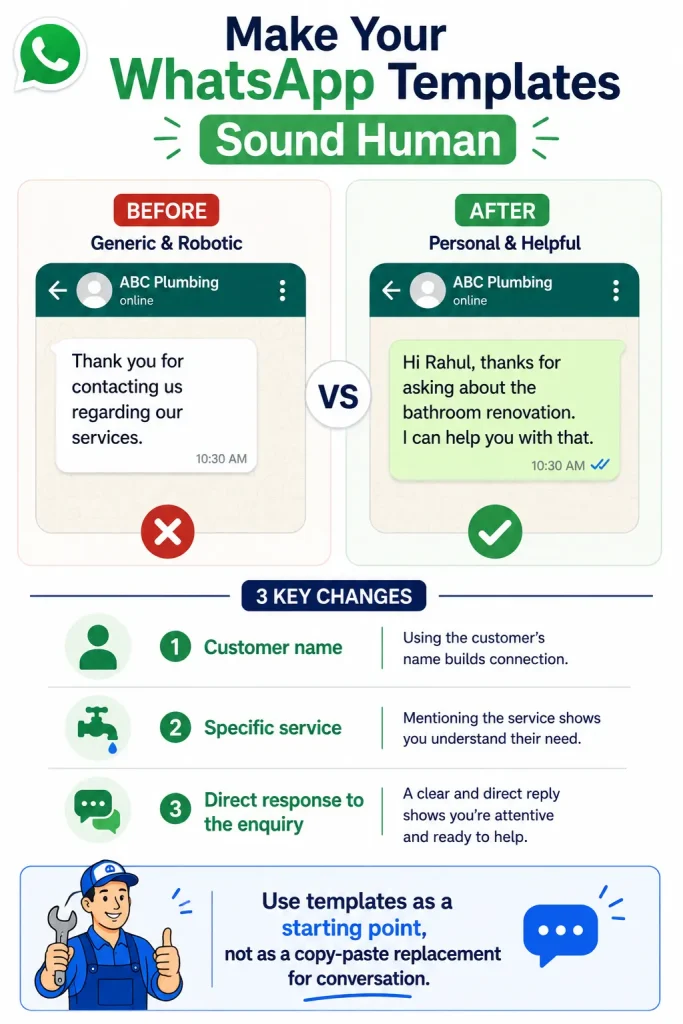
The easiest way to make business WhatsApp messages feel more natural is to change a few important details. Use the customer’s name when appropriate, mention the actual service they asked about and refer to something they have already told you. You do not need to rewrite the entire message every time. Even one or two personal details can make a prepared template feel much more natural.
For example, instead of:
“Thank you for contacting us regarding our services.”
you could write:
“Hi Rahul, thanks for asking about the bathroom renovation. I can help you with that.”
The second message is still based on a template, but it sounds like someone actually read the customer’s message.
A Simple Formula for Writing Your Own WhatsApp Messages
Once you have these 12 templates, you can also create your own messages instead of depending on a template for every situation. A simple formula is to start by acknowledging the customer, then answer or confirm what they need, provide the useful information and finish with one clear next step.
For example:
Acknowledge: Hi Rahul, thanks for contacting us.
Answer: Yes, we provide bathroom plumbing repairs in Noida.
Useful information: The visit charge is ₹300 and larger repair costs are explained after inspection.
Next step: Please send your location and a photo of the problem.
This structure works because the customer does not have to guess what to do next. You can use the same basic approach for enquiries, quotations, bookings and follow-ups.
If you are creating several WhatsApp templates for small business, keep the language consistent across them, but do not make every message sound exactly the same. Some messages should be short, while others may need one or two additional details depending on the situation.
Common Mistakes to Avoid in Business WhatsApp Messages
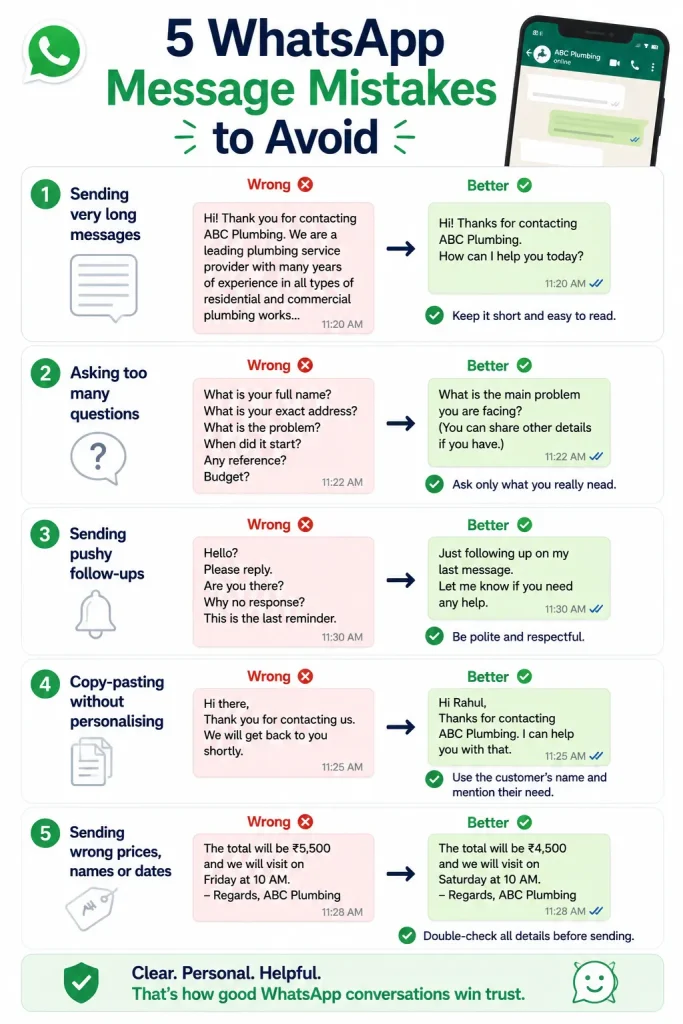
One common mistake is sending very long messages when a short answer would work. Customers usually want the information they need, so avoid adding unnecessary company history or promotional text to a simple enquiry reply.
Another problem is asking too many questions at once. If you need five pieces of information, consider whether all five are necessary before the next step. Asking only the important questions makes it easier for the customer to respond.
Businesses should also avoid sending follow-ups that sound demanding. Messages such as “Why have you not replied?” or “Are you buying or not?” can damage the relationship. A polite follow-up gives the customer an easy way to continue the conversation without feeling pressured.
Finally, check every template before sending it. Make sure the customer’s name, price, date, service and other details have been changed correctly. A personalised message with the wrong customer name can look worse than a simple generic message.
How to Build Your Own Small Business WhatsApp Template Library
You do not need hundreds of saved messages. Start with the situations that happen most often in your business. If you receive many new enquiries, create two or three first-reply templates. If you regularly send quotations, create a quotation template. If customers book appointments, create confirmation and reminder messages. Once you know which conversations happen repeatedly, you can slowly build a small library that saves time without making your customer communication feel robotic.
A useful library might contain templates for new enquiries, missing information, quotations, follow-ups, bookings, reminders, review requests and customer feedback. Keep each message short enough to edit quickly, and use clear placeholders such as [Name], [Service], [Date], [Price] and [Location]. This makes it much harder to accidentally send the wrong information.
The goal is not to automate every conversation. Your templates should handle the repeated parts of customer communication while you continue to have a real conversation when the customer has questions or a special requirement.
Final Takeaway
The best WhatsApp templates for small business are not the messages that sound the most professional. They are the ones that make it easier for a customer to understand the answer and know what to do next. A good first reply should move the enquiry forward, a follow-up should be polite, a booking confirmation should remove confusion and a review request should feel like a genuine request for feedback.
Start with the templates that match the conversations your business has every day. Change the customer’s name and service details, remove anything that does not apply and add a personal sentence when it makes sense. Over time, these simple templates can save you a lot of time while keeping your WhatsApp conversations clear and friendly.
The most important thing to remember is that a template should support the conversation, not replace it. Customers still want to feel that a real person has read their message and understood what they need.