
Complete City Page SEO Checklist Guide: What To Research Before You Write The Page?
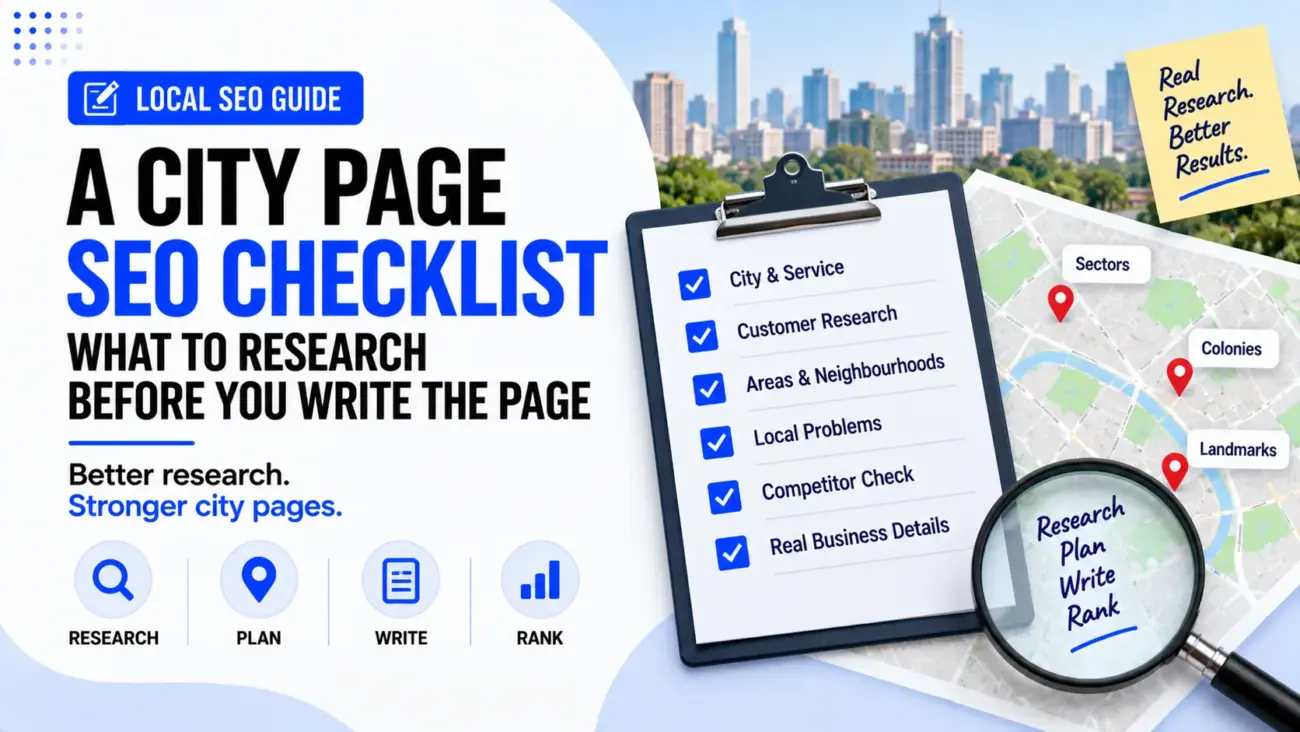
Writing a city page is not simply a matter of adding a city name to a service page and changing a few sentences. A useful city page should help people understand whether a business serves their area, what services are available there, how the service works, and why the business is a suitable choice. This is why research should happen before writing, because the quality of the information collected will usually affect the quality of the final page.
A good City Page SEO Checklist can make this research much easier because it gives us a clear set of things to check before opening the WordPress editor. Instead of starting with a blank page and trying to think of local details while writing, we can first collect information about the city, customers, areas served, local problems, travel patterns, service availability and real business experience. The result is a page that feels written for that location rather than a page that only mentions the location for SEO.
Why City Page Research Matters
A city page has two audiences. The first is the person who lives in or around the city and wants to know whether the business can help them. The second is the search engine trying to understand what the page is about and whether it is relevant to a particular search. These two audiences are not separate as much as they may seem, because a page that clearly explains the service, location and customer need is usually easier for both people and search engines to understand.
Google says its local results are mainly based on relevance, distance and prominence, while complete and accurate business information can help Google understand a business and match it with relevant searches. This does not mean that adding a large number of city keywords will automatically make a page rank. Instead, the research should help us create a page that has real information about the service and the place it is intended to serve.
This is also why a City Page SEO Checklist should start with research rather than keywords. Keywords are useful, but they should come from the way people actually search and from the real service area of the business. If we begin with the keyword alone, there is a risk that the page becomes repetitive, unnatural or too focused on search engines.
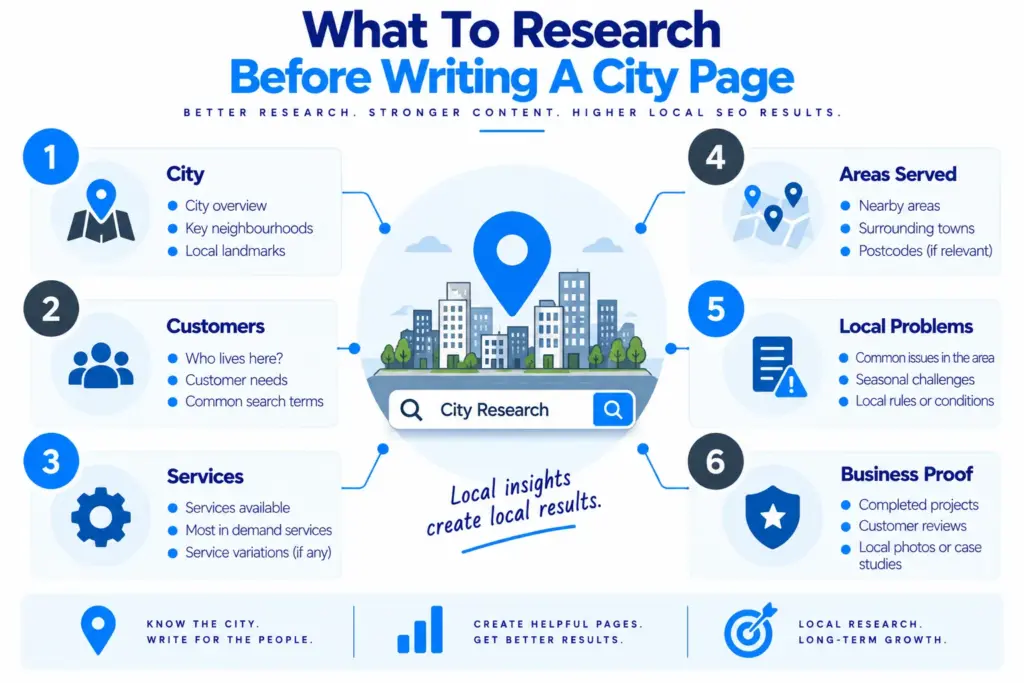
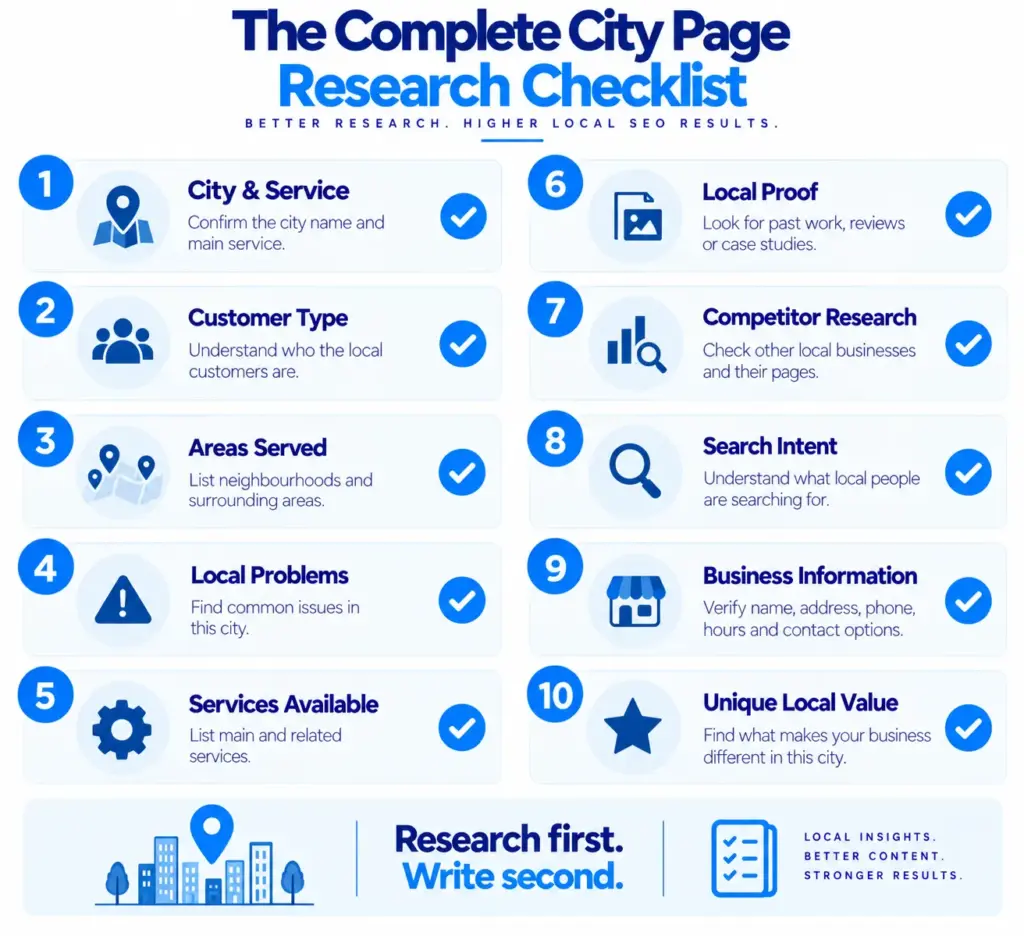
1. Start With The Exact City And Service
The first part of the research is very simple, but it is also one of the easiest things to get wrong. Write down the exact city, the main service and the type of customer the page is meant to attract. For example, “plumber in Noida” is different from “emergency plumber in Noida”, while “office cleaning in Pune” may attract a different audience from “house cleaning in Pune”. The page should have one clear purpose before any copy is written.
A simple research sheet can contain:
- Main city
- Main service
- Main customer type
- Main search intent
- Main areas served
- Main reason someone may contact the business
This first step gives the page a clear direction. It also prevents us from trying to make one city page rank for every possible service, customer and search term at the same time.
2. Find Out What The Business Actually Does In The City
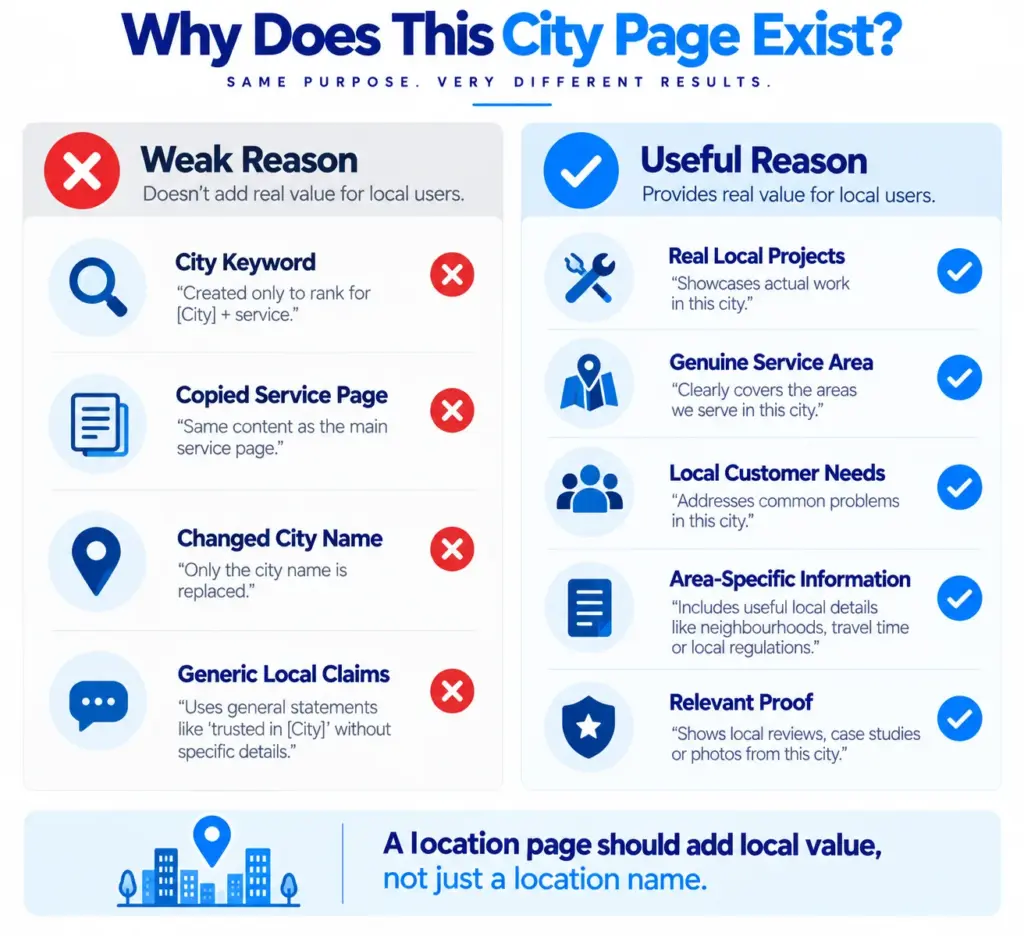
The next part of the City Page SEO Checklist is checking the real service area. This is important because a business should not claim to serve a city simply because there may be search traffic there. We need to know whether the business actually travels to that city, has customers there, has a branch there, or has another genuine reason for serving that market.
For a service-area business, research should include questions such as whether technicians travel to the city, how far they normally travel, whether some services are unavailable in certain areas, and whether there are additional charges for longer distances. If the business has completed real work in the city, those projects can also become useful material for the page because they provide stronger local detail than generic statements such as “we proudly serve the entire city”.
This information also helps prevent a common problem with location pages. Google warns against doorway abuse, which includes creating multiple substantially similar pages for different cities or regions simply to target searches. A useful city page therefore needs a genuine reason to exist and should give visitors something useful about that particular location.
3. Research The Main Areas And Neighbourhoods
A city is rarely one uniform place. People often identify themselves by neighbourhood, sector, colony, suburb, locality or another smaller area. Researching these names can help us understand how people actually describe the city and where the business is most likely to receive enquiries.
However, this does not mean adding twenty neighbourhood names into a paragraph just to make the page look local. Instead, find the areas that genuinely matter to the service. A home cleaning business may care about residential neighbourhoods, while a commercial pest control company may have more customers in business districts, industrial areas or large office zones.
The City Page SEO Checklist should therefore include a short local geography section where we record useful areas, nearby localities and common ways people refer to the location. These details can later be used naturally in the page when they help explain the service area rather than being added as a list of keywords.
If the city has a clear pattern of local areas, we can also use that information to decide whether a separate area page is actually needed. Our earlier article, “How Many City Pages Do You Actually Need?” explains deciding between one city page and multiple location pages.
4. Find The Local Problems Customers Actually Have
A strong city page should not only describe the city. It should explain the customer problems that matter in that city when they are relevant to the service. This is where research can make the biggest difference between a useful page and a generic one.
For example, an AC repair business might discover that customers often need urgent repairs during very hot months, while a wedding planner may find that customers are searching for venues and suppliers within particular parts of the city. A cleaning company may serve apartments, independent houses and offices, with each customer group having different needs. These details can shape the copy without making unsupported claims about the whole city.
We should look for real information from the business itself, customer questions, previous enquiries, sales conversations, reviews and service records. If customers repeatedly ask whether the business serves a certain area, whether same-day appointments are available, or whether the company handles a certain type of property, those questions can become useful content on the city page.
5. Research The Services People Need In That Location
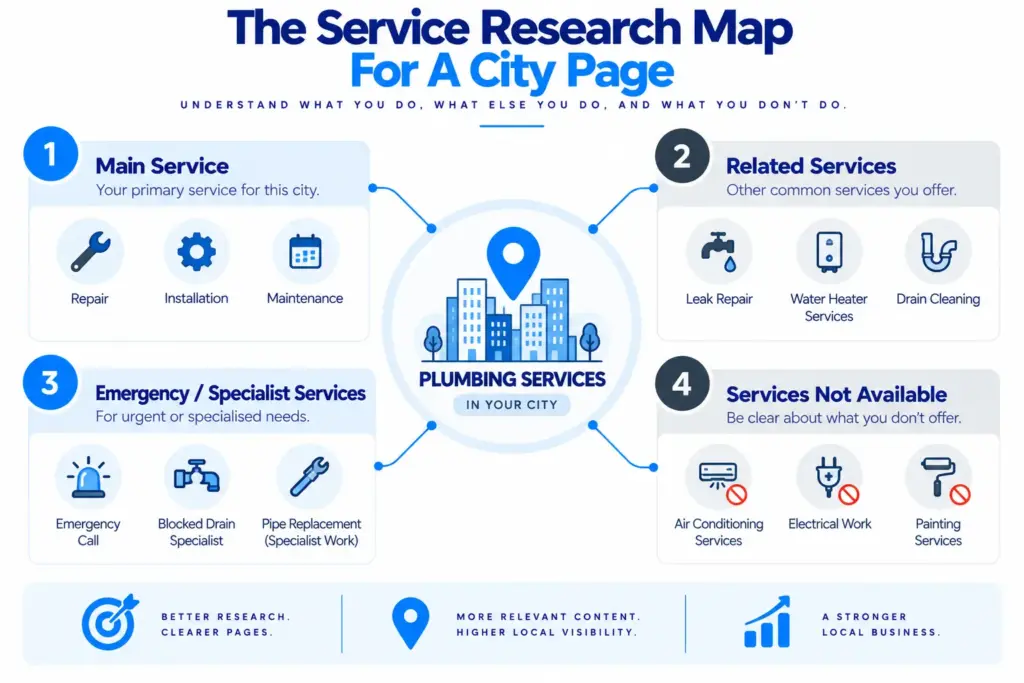
The next step is to list the services that are genuinely available in the city. Do not assume that every service offered by the business is automatically available everywhere. A company may provide ten services overall but only offer six of them in a particular city because of staff, equipment, travel distance or other practical reasons.
Create a simple service map before writing the page. Separate the main service from related services and emergency or specialist services where appropriate. For example, an electrician city page might cover general electrical repairs, emergency electrical work, wiring, lighting installation and fault finding, but the page should only mention services the business actually provides.
This research makes the page more useful because visitors can quickly understand whether they have reached the right business. It also gives us natural places to discuss related customer needs without forcing every possible service keyword into the same paragraph.
6. Look For Real Local Proof
One of the most useful things to find before writing a city page is evidence that the business really serves the location. This could include completed projects, customer reviews mentioning the city, photographs from local jobs, testimonials, local clients, case studies or genuine experience working in particular areas.
Real proof is much more useful than writing, “We are the best service provider in the city.” A sentence about a real project can tell the reader much more. For example, “We recently repaired the electrical system at an office near Sector 62” gives a visitor a clearer idea of the type of work and location the business handles.
Google also uses information from different sources when building local listings, including public web content, third-party data and information contributed by users and business owners. This is another reason to keep business information consistent and accurate across the website and other important business profiles.
7. Check Competitor City Pages
Competitor research is useful, but the goal should not be to copy what other businesses have written. Instead, look at the pages ranking for the main local search and ask what information they provide, what questions they answer and what appears to be missing.
Check the first page of Google for searches such as:
- Service + city
- Main service + city
- Emergency service + city
- Service + neighbourhood
- Service near city
Then record the useful information you find. Look at whether competitors explain their service area, show local proof, answer common questions, explain the process, display contact information clearly and provide useful details about what customers can expect.
The City Page SEO Checklist should include competitor research because it helps us understand the current standard of the search results. However, the final page should not simply become a longer version of the competitors’ pages. Google recommends creating original, useful content that provides substantial value instead of simply rewriting information found elsewhere.
8. Research The Search Intent Before Writing
Before choosing the final structure, ask what the person searching actually wants to know. Someone searching “plumber in Jaipur” may want to find a plumber they can contact immediately, while someone searching “plumbing services Jaipur” may want to compare services before deciding.
The page should answer the important questions behind the search rather than simply repeating the keyword. These questions may include what the business does, where it works, how customers can book, what types of jobs it handles, whether emergency service is available, what areas are covered and what customers should do next.
This is an important part of How To Write A City Page For SEO, because good local SEO copywriting starts with the visitor’s purpose. Google says people-first content should leave readers feeling that they have learned enough to achieve their goal, rather than forcing them to search again for basic information.
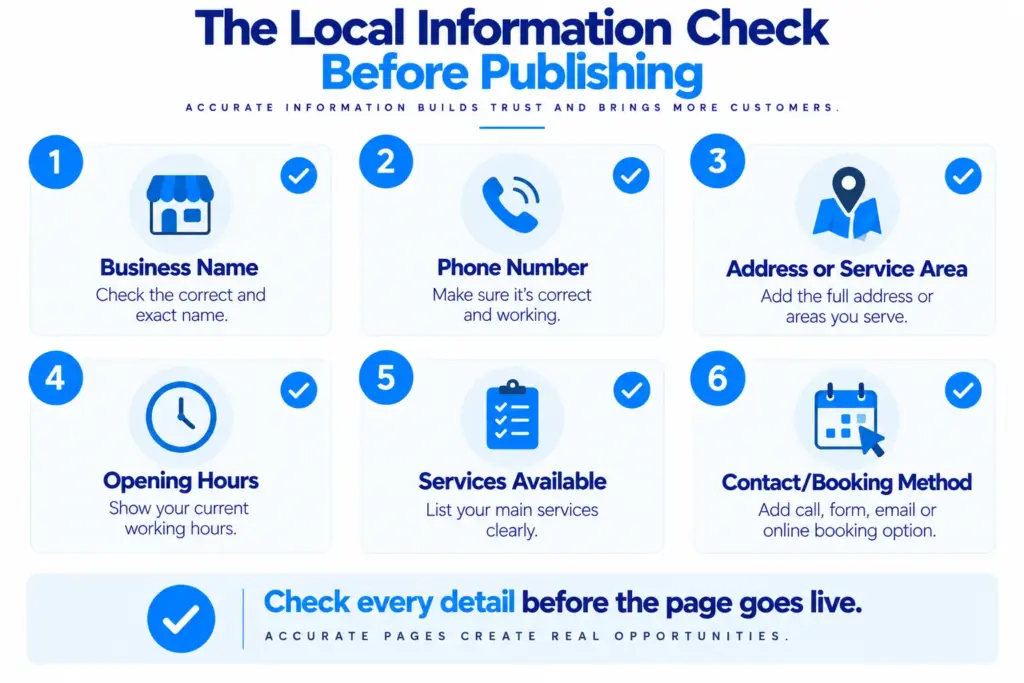
9. Check The Business Information Before Publishing
Before writing the final call to action, check the basic business details. The name, phone number, website, address, opening hours and service information should be accurate wherever they appear. If the business has a physical location, confirm the address. If it is a service-area business, make sure the page does not incorrectly suggest that customers can visit a shop or office when there is no public location.
Google’s LocalBusiness documentation recommends providing accurate business information such as the business name, address, telephone number and URL where applicable. It also supports other information such as opening hours and, for relevant businesses, service-specific details.
This part of the City Page SEO Checklist may sound basic, but it is important because a beautifully written city page is not very useful if the phone number is wrong or the customer is sent to an outdated address.
10. Collect Local Language And Search Phrases
Research how people naturally describe the service and location, but do not try to collect every possible keyword variation. A customer may use “AC repair in Lucknow”, “AC service Lucknow”, “AC technician near me” or a neighbourhood name, while the business may describe the same service differently.
The goal is to understand these variations so the page can use natural language. Google itself recommends thinking about the words people might use to search for content, while also noting that its language systems can understand related queries without every variation being written exactly on the page.
This means keyword research should support the writing rather than control it. If a phrase sounds unnatural when placed into a sentence, there is usually no reason to force it into the copy.
11. Find Local Questions For The FAQ Section
A city page does not need a huge FAQ section, but a few useful questions can help when they address genuine customer concerns. The best questions usually come from real conversations rather than from a list of keywords.
Ask the business team what customers usually want to know before booking. Then check reviews, enquiries, phone conversations and search suggestions for additional questions. Depending on the service, these might include whether the business travels to a particular area, how quickly appointments are available, what types of properties are covered, whether emergency work is available and how customers can request a quote.
The important point is that the answers must be specific to the business and service. Adding the same generic five questions to every city page creates very little additional value and can make a group of location pages look almost identical.
12. Decide What Will Make This City Page Different
This is probably the most important part of the whole research process. Before writing, complete this sentence:
“This city page is useful because…”
If the answer is only “it targets the keyword service + city”, more research is needed.
A stronger answer might be that the business has completed several projects in the city, serves specific neighbourhoods, understands a particular type of customer, offers a service that is especially relevant to the area, or can explain something about the local service experience that a generic page cannot.
Google’s guidance warns against creating substantially similar city or regional pages that mainly exist to capture search traffic. This does not mean every city page needs completely different information, but it does mean the page should have a genuine purpose and useful local content.
Turning The Research Into A Page
Once the research is complete, the writing becomes much easier because we are no longer trying to invent local information. We have already collected the facts, customer questions, service details, local areas and proof that can shape the page. The page can then be organised around the customer’s journey, starting with a clear headline and introduction, followed by the service, local relevance, process, proof, useful questions and a clear next step.
The City Page SEO Checklist can therefore become a simple working document rather than something we look at only after the article is written. Keep the research notes beside the draft and use them while writing each section. This helps prevent the common habit of adding local information at the end simply because an SEO checklist says it should be there.
For the actual page structure, the headline should make the service and location clear without sounding forced. The opening section should quickly explain what the business offers and who it helps. The middle sections can explain the service, areas covered, local customer needs, process and proof, while the final section should make it easy for the visitor to call, message, book or request a quote.
Our earlier article, “How to Write a Headline for a Local Service Website” explains how the researched city and service should be turned into a clear page headline.
A Simple City Page Research Sheet
Before starting the draft, the following short research sheet can be completed for every location page:
- City: [City name]
- Main service: [Service]
- Customer type: [Who needs this service]
- Areas served: [Neighbourhoods, sectors, suburbs or nearby areas]
- Main customer problems: [Three to five real problems]
- Services available: [Relevant services]
- Services not available: [If applicable]
- Local proof: [Projects, reviews, customers, photographs]
- Common customer questions: [Three to five questions]
- Local search phrases: [Natural phrases people use]
- Competitor gaps: [Useful information competitors do not explain well]
- Main reason this page deserves to exist: [One clear answer]
This small research sheet is also useful when several city pages need to be created. Instead of writing one page and then changing the city name twenty times, we can research each location separately and decide what information is genuinely different. That approach takes more care, but it produces pages that are much more useful and easier to review before publishing.
Final City Page SEO Checklist
Before publishing, go through the complete City Page SEO Checklist one final time. Confirm that the city and service are clear, the business genuinely serves the location, the important local areas have been researched, customer needs are understood, available services are accurate, and there is real proof where possible.
Then check the page from a reader’s point of view. Would someone living in that city understand within a few seconds what the business offers and whether it can help them? Would they find answers to the questions they are likely to have before contacting the business? Does the page contain something useful about the location or service that would not be present on every other city page?
Finally, check the SEO basics without allowing them to take over the writing. Use the main keyword naturally in the title, heading and relevant parts of the copy, make internal links useful, keep business information accurate, and make sure the page is easy to read on both desktop and mobile. Google recommends useful, readable, well-organised and original content rather than content written to a fixed word count or made mainly to attract search traffic.
Final Thought
A good city page usually starts before the writing begins. The research stage gives us the information needed to create a page that feels relevant to the location instead of looking like a standard service page with a city name added to it. When we understand the local areas, customer problems, available services, real business experience and search intent, the writing becomes more natural and useful.
The main purpose of a City Page SEO Checklist is therefore not to help us add more keywords. It is to make sure that we have enough real information to create a useful page for people in that location. If the research shows that a city page has no genuine local value, it may be better to improve an existing service or location page instead of creating another thin page. But when there is a real service area, real customer demand and useful local information to share, proper research can give the page a much stronger foundation.